
CursorHop vs Universal Control
Excellent between Macs and iPads. It has no Windows client, caps at three devices, and needs them within Bluetooth range.
The honest read
Universal Control is very good at the job Apple built it for. Slide the pointer off your Mac and it lands on another Mac or an iPad, keyboard follows, clipboard follows, and you can drag a file across. It costs nothing, it is already installed, and there is no setup beyond signing in.
The limits are the ones Apple designed in. It links three devices at most: your Mac plus two others. Every device must be signed in to the same Apple Account with two-factor authentication. They must sit within roughly 10 metres with Bluetooth, Wi-Fi and Handoff switched on, because discovery runs over Bluetooth. Macs older than about 2016 are not supported at all. And the ceiling that sends most people looking for something else: there is no Windows client, and Apple has never indicated one is coming.
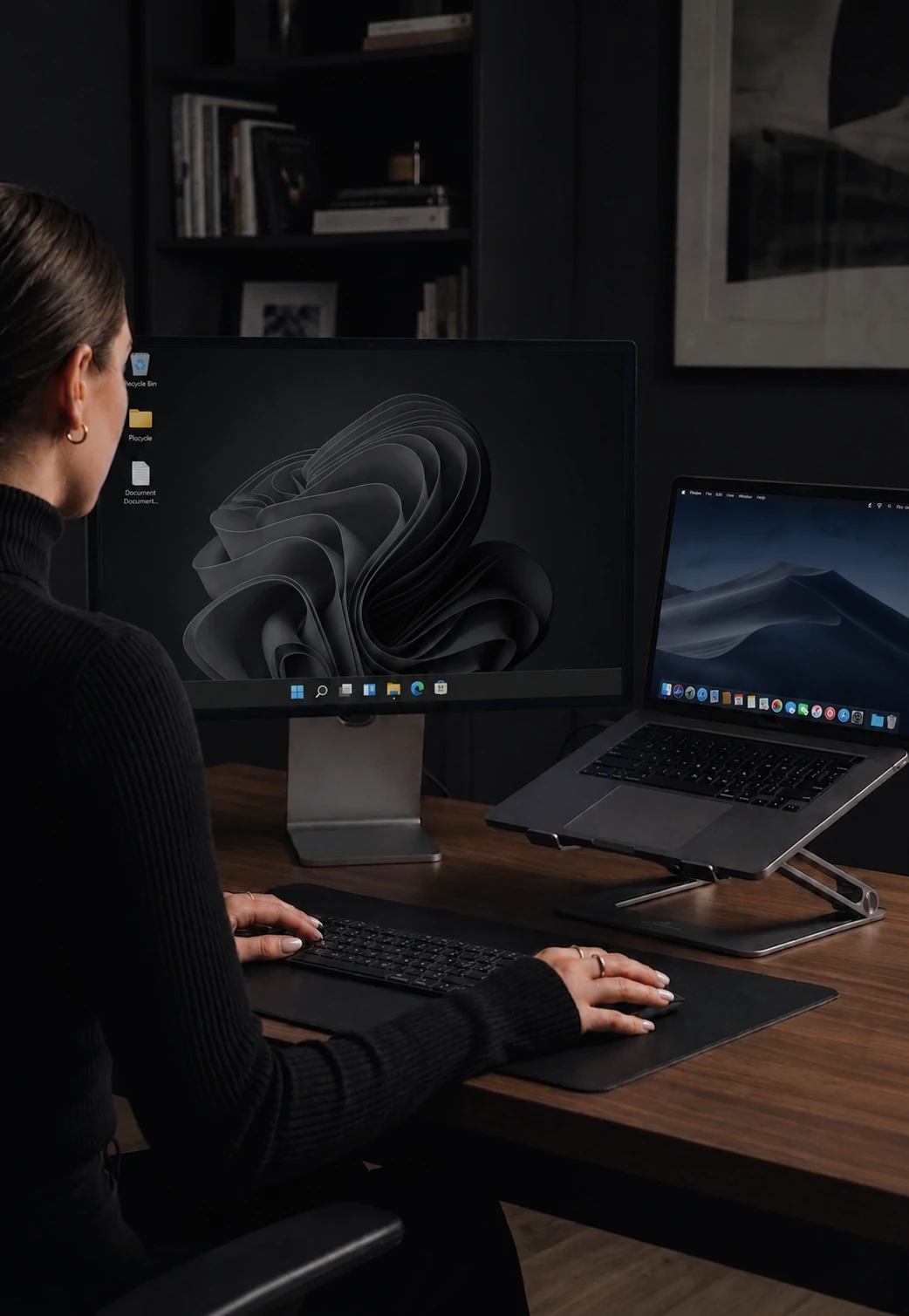
CursorHop is built for the mixed desk. Windows 10 or later and macOS 12 or later in the same layout, with Ctrl and Cmd translated automatically as control crosses between them. It pairs through your CursorHop account and talks directly over your local network, so range is the LAN rather than a Bluetooth bubble, and machines in another room behave like machines on the desk. Up to 10 computers on the Max tier. Noise-protocol encryption on every tier including the trial, a native Rust input engine holding around 7 ms median latency on gigabit LAN, and drag-and-drop file transfer at roughly 70 Mbps.
Where CursorHop loses cleanly: it does not do iPad. If the tablet is the point, Universal Control is the answer, and the two are happy to coexist on one desk.
See also: CursorHop vs Mouse Without Borders (the Windows-only mirror image of this problem), CursorHop vs Synergy, and CursorHop vs Logitech Flow, or scan the full KVM comparison matrix. Feature deep-dives: keyboard sharing and file transfer.
What each one ships today
Apples to apples. No footnotes-on-footnotes.
| Feature | Universal Control | CursorHop |
|---|---|---|
| Windows | No, Apple devices only | Windows 10+ |
| macOS | macOS 12.4+, Macs from 2016 on | macOS 12+ |
| iPad | iPadOS 15.4+ | Not supported |
| Linux | No | Coming soon |
| Devices in one layout | 3 total (your Mac + 2) | Up to 10 (Max tier) |
| Account requirement | Same Apple Account, 2FA on every device | One CursorHop account, any mix of machines |
| Range between devices | About 10 m, needs Bluetooth + Handoff | Anywhere on the same LAN |
| Transport | Bluetooth + Wi-Fi + Handoff | Direct over your local network |
| Clipboard - text and images | Yes | Yes, every tier |
| Drag-and-drop files | Yes, between Apple devices | Yes, ~70 Mbps over LAN |
| Ctrl to Cmd translation | Not needed, one platform | Automatic both ways |
| Screen dimming | No | Auto-dim inactive screens |
| Game Mode (raw input) | No | Raw input mode for full-screen games |
| Works on older Macs | No, 2016 and newer only | Any Mac on macOS 12+ |
| Pricing | Free, built into macOS | From $10 one-time |
CursorHop latency and throughput figures come from internal gigabit-LAN testing with both machines on the same switch. Real-world results vary with hardware, Wi-Fi congestion, and driver configuration. Competitor features and prices can change, so confirm current details with the vendor before purchasing.
Pick Universal Control if…
- Every device on your desk is made by Apple.
- You want an iPad in the layout as a second screen or a tablet you can type on.
- You want something already installed, with nothing to buy and nothing to configure.
Pick CursorHop if…
- There is a Windows PC on your desk. This is the whole reason people look for an alternative.
- You need more than three machines in one layout.
- Your computers are not all within a few metres of each other, or Bluetooth and Handoff are unreliable on your setup.
- Your Mac is older than 2016 and Universal Control refuses to enable.
- You want raw-input Game Mode or automatic screen dimming.
Quick answers
Does Universal Control work with a Windows PC?
No. Universal Control is an Apple-only feature. It links a Mac to other Macs and iPads signed in to the same Apple Account, and Apple publishes no Windows client. If a Windows PC sits on your desk, you need a cross-platform software KVM such as CursorHop instead.
How many devices can Universal Control link?
Three in total: your Mac plus up to two other nearby Mac or iPad devices. CursorHop covers 2 computers on Pro, 5 on Pro Plus, and 10 on Max, across Windows and macOS.
Does CursorHop work with an iPad?
No, and it is worth being straight about that. CursorHop is a desktop product for Windows 10 or later and macOS 12 or later. If you want an iPad in the layout, Universal Control is the right tool for that part, and nothing stops you running both on the same desk: Universal Control for the iPad, CursorHop for the PC.
Do the computers have to be close together?
Universal Control expects devices within about 10 metres of each other, with Bluetooth, Wi-Fi and Handoff switched on, because it uses Bluetooth for discovery. CursorHop connects over your local network instead, so a machine in another room on the same LAN works exactly like one on the desk.
Is Universal Control free?
Yes. It is built into macOS Monterey 12.4 or later and iPadOS 15.4 or later at no extra cost, on Macs from roughly 2016 onward. CursorHop is a one-time purchase starting at $10 for 2 computers. What the money buys is Windows support, higher device counts, and operation across the whole LAN rather than a Bluetooth-range bubble.
Why does Universal Control keep disconnecting?
The common causes are the requirements themselves: the devices drifting beyond Bluetooth range, Handoff or Bluetooth being switched off on one machine, the devices no longer being on the same Apple Account, or one Mac being older than the supported models. CursorHop avoids that class of problem by pairing through your account and talking directly over the local network rather than over Bluetooth.
One desk. Both platforms.
7-day free trial. No credit card. Full feature set.
Apple, Mac, macOS, iPad, iPadOS, Handoff and Universal Control are trademarks of Apple Inc. CursorHop is not affiliated with, endorsed by, or sponsored by Apple Inc. CursorHop is an independent product and is not affiliated with, endorsed by, or sponsored by the aforementioned. All trademarks are the property of their respective owners. Comparison claims are based on publicly available product pages, documentation, and user reports.