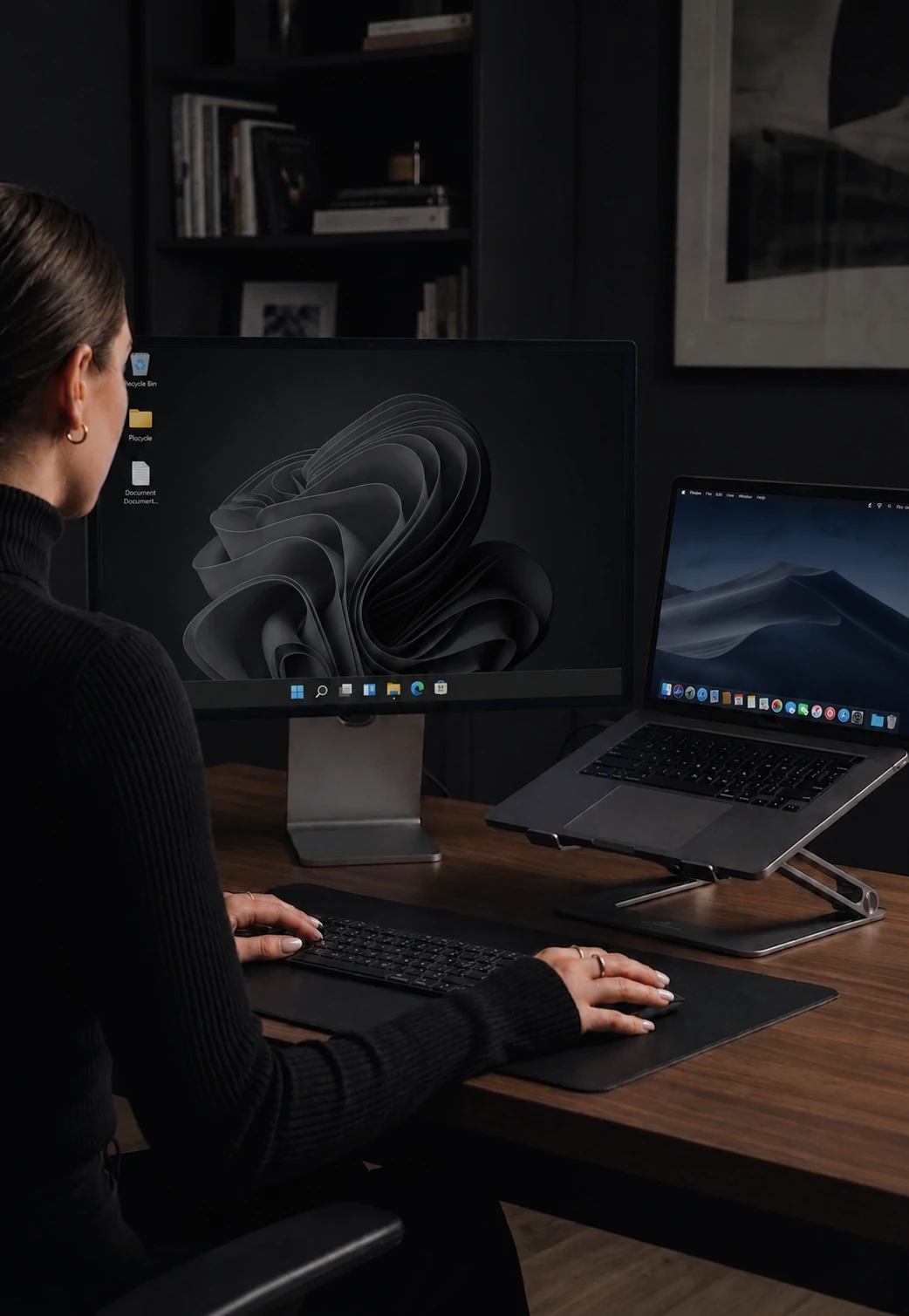

One mouse and keyboard. Every computer.
Cursor, keyboard, clipboard, and files across every computer on your desk.
One mouse, one keyboard, one clipboard across every machine on the desk.
Mouse & Keyboard Sharing
Move your cursor to the edge of one screen and it appears on the next computer instantly. Your keyboard follows your mouse - type on whichever screen has focus. No button press, no hotkey.
- Low-latency edge-based switching on LAN
- Works with any mouse, trackpad, or trackball
- Multi-monitor and DPI aware
- Arrange screens in any layout - side by side, stacked, or offset
Clipboard Sync
Copy a URL on your Mac, paste it on your PC. Text, images and rich content move between your computers the moment you hit copy.
- Plain text, rich formatting, images, and files
- Maintains formatting across operating systems
- Data stays on your local network - never touches the cloud
Meeting notes: Q2 roadmap finalized, launch date confirmed.
Meeting notes: Q2 roadmap finalized, launch date confirmed.
File Transfer
Drag a file to the screen edge and it lands on the other machine. Any file type, at full LAN speed, with no cloud upload and no size cap.
- Drag-and-drop to the screen edge or copy-paste files directly
- Any file type, at LAN speeds, compressed for speed
- Progress indicator with speed, ETA, and pause/resume
Keyboard Shortcut Translation
Automatic remapping between Windows and macOS. Cmd+C on your Mac becomes Ctrl+C on your PC - and vice versa. 30+ pre-configured mappings with custom JSON profiles supported.
- Pre-configured Win to Mac and Mac to Win profiles
- Per-device shortcut profile overrides
- Modifier remapping - swap Shift and Ctrl, disable Super key
- Hot-reloadable - changes apply without restart
Encrypted end to end, and it finds your other computers on its own.
End-to-End Encryption
Every keystroke, mouse movement, clipboard transfer, and file - encrypted with modern, industry-standard cryptography. Safe on any shared network.
- Mutual authentication between paired devices
- Device fingerprint verification on first pair
- Automatic key exchange - zero configuration
- No unencrypted fallback allowed by default
Auto-Discovery & Reconnection
Automatic device discovery on your network. Install CursorHop, open it, and your other computers appear. Zero configuration, zero IP addresses to type.
- Optional short room code for joining at a friend's place
- Automatic reconnection with multiple fallback strategies
- Works over Wi-Fi and Ethernet
- New computers appear instantly
The screen you left behind gets out of your way. So does the cursor.
Display Dimming
Inactive screens automatically dim when you're focused on another computer. Adjustable brightness from fully dimmed to barely noticeable. Auto-restores when you switch back.
- Works on any monitor your OS supports - no special hardware
- Adjustable brightness level (0.0 to 1.0)
- Smart restoration - only restores when no peers remain
Cursor Management & Game Mode
Scroll Lock toggles cursor lock. Game Mode pins the cursor with relative deltas for FPS games. Watchdog timer recovers stuck hidden cursors automatically.
- Cursor lock via Scroll Lock toggle
- Game Mode with 1x1 cursor clip for FPS gaming
- Virtual cursor tracking with sub-pixel accuracy
- Auto-deactivation on return or disconnect
Tune every machine separately, then let them act as one.
Power & Session Sync
Lock, unlock, suspend, shutdown, restart, and screensaver events synchronized across all connected devices. Per-event enable/disable configuration.
- Synchronize lock/unlock, suspend, shutdown, and restart
- Per-event control - enable or disable individually
- 2-second deduplication window prevents cascading
Per-Device Settings
Individual mouse sensitivity, scroll sensitivity, edge delay, and modifier remapping for each connected device. Changes apply in real-time without restarting.
- Mouse sensitivity: 0.1 to 5.0 per device
- Scroll sensitivity: 0.01 to 10.0 per device
- Edge delay: 0 to 500ms configurable
- Hot-reload via watch channel - no restart needed
Screen Layout Editor
Visual canvas for arranging your screens. Drag-and-drop snap positioning, auto-arrange, and zoom controls. Multi-monitor DPI scaling support built in.
- 60fps drag interaction with smooth snap positioning
- Auto-arrange for quick setup
- 100px adjacency tolerance with 40px padding
- Changes broadcast to all devices instantly
Common questions about CursorHop features
What can CursorHop do across multiple computers?
CursorHop shares one mouse and keyboard across multiple computers, syncs clipboard text and images, transfers files by drag-and-drop, dims inactive screens, discovers computers automatically on your network, and encrypts everything end-to-end. All in one app.
What platforms does CursorHop run on?
CursorHop runs natively on Windows 10 and later and macOS 12 (Monterey) and later. Cross-platform works in any combination - Mac to Windows, Windows to Mac, or same-platform. Linux support is planned for a future release.
How many computers can I connect?
The 7-day trial supports up to 5 computers with the Pro Plus feature set. Pro supports 2 computers, Pro Plus supports 5, and Max supports 10. Screen dimming and Power / Session Sync are Max-only and are not included in the trial.
Does CursorHop need the internet?
No for normal use. CursorHop is LAN-only by design - all data stays on your local network. You only need the internet briefly to activate your license and receive software updates.